Better Agents CLI: Turn Any Coding Assistant into a Production-Ready AI Agent
Table of Contents
TL;DR
- Install Node 22+ and npm i -g better-agents to get a CLI that scaffolds a full agent project in seconds.
- Pick a language (TypeScript) and a framework (Mastra, Agno, …) and let the tool spin up a consistent folder layout, prompts registry, and MCP config.
- Scenario tests (e.g., “show the latest credit-card transactions”) are generated automatically, so you catch regressions before they ship.
- Built-in observability (LangWatch + LangSmith Studio) visualizes prompt versions, reasoning traces, and evaluation metrics.
- Pair the CLI with Anthropic Opus 4.5 for top-tier coding assistance without hand-crafting prompts.
Why this matters
When I first tried to build a banking-assistant prototype, I spent three days just wiring together a KiloCode CLI, a prompt file, and a local MCP server. The folder structure was ad-hoc, the prompt drifted between my laptop and my teammate’s IDE, and my manual test script boiled over after the first API change. The pain points listed in the briefing—uncertainty over framework choice, missing project standards, and endless debugging—are the exact reasons I threw away that repo and started over with Better Agents.
- Framework indecision eliminated – the CLI asks you once which framework you want (Mastra, Agno, etc.) and then locks the whole stack into that decision.
- Standardized layout enforced – every generated repo follows the same app/src, tests, prompts, .mcp.json convention, which removes the “my code looks different from yours” syndrome.
- Tooling glue auto-wired – you no longer copy-paste KiloCode, Claude Code, or Cursor binaries; the CLI pulls the right binaries and registers them with MCP servers for you.
- Automated validation – scenario tests run on npm test and fail fast if the agent can’t retrieve a credit-card transaction list, saving hours of manual debugging.
- Observability baked in – LangWatch and LangSmith dashboards appear out of the box, letting you watch each reasoning step without sprinkling console.log statements.
These benefits directly map to the seven pain points we all wrestle with on day one of a new agent project.
Core concepts
1. The CLI is a project factory
Running better-agents init launches an interactive wizard. You declare:
- Programming language – defaults to TypeScript but also supports JavaScript.
- Agent framework – pick Mastra, Agno, or any LangChain-compatible stack.
- LLM provider – I always choose Anthropic Opus 4.5 because of its reasoning depth.
- Tooling set – KiloCode, Claude Code, Cursor, or Helocode.
Behind the scenes the CLI:
- Creates a prompts/ folder and a prompts.json registry that keeps every prompt version under source control — a practice that prevents the “my prompt works but yours doesn’t” nightmare — Better Agents — GitHub Repository (2025).
- Generates an .mcp.json file pre-populated with the MCP servers you need for tool discovery — again from the same repo.
- Drops an AGENTS.md guide that lists best-practice conventions (naming, logging, error handling) so the team never invents a new style on the fly.
- Spins up a tests/ tree with scenario tests (e.g., test_credit_card_transactions.test.ts) that invoke the agent end-to-end and assert on the JSON response. The test suite runs on every npm test and integrates with CI pipelines.
2. LangChain semantics lift the agent
Better Agents uses LangChain’s agent abstraction to turn an LLM into a reasoning engine that can call tools, decide next steps, and backtrack if needed. LangChain’s model-agnostic interface means you can swap Opus 4.5 for Sonnet 4.5 later without code churn — LangChain — Agents Documentation (2025).
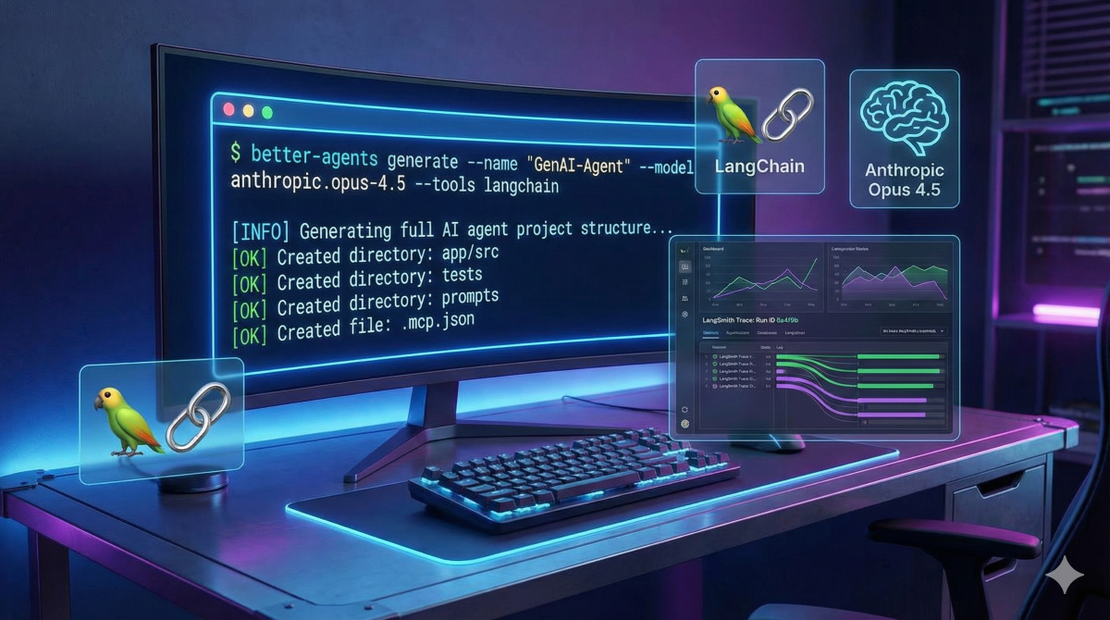
LangChain also gives you LangSmith for visual debugging. When a scenario test runs, LangSmith records each action, parameters, and tool output, then renders a graph you can explore in the browser. This replaces the “print-everything” approach and shortens the debugging loop from hours to minutes.
3. Anthropic Opus 4.5 powers the heavy lifting
Opus 4.5 is Anthropic’s flagship model for complex reasoning and code generation. According to the AWS Bedrock announcement, Opus 4.5 outperforms Sonnet 4.5 on software-engineering benchmarks (80.9 % on SWE-bench Verified) while costing roughly a third as much — a sweet spot for production agents that need both quality and cost control — Anthropic Opus 4.5 — AWS Blog (2025).
When you feed Opus 4.5 a prompt that asks “fetch the last five credit-card transactions and highlight the highest-spending day,” the model not only writes the API call but also reasons about pagination, error handling, and data formatting. The CLI captures that reasoning in LangSmith so you can see exactly how the model arrived at the answer.
4. Environment sanity checks
All Better Agents projects require Node.js 22 or newer. The official Node.js release schedule marks v22 as “Maintenance LTS,” guaranteeing security patches for three years — Node.js — Release Schedule (2025). The CLI validates your Node version at startup and aborts with a clear message if you’re on an older runtime.
How to apply it
Step 1 – Prep the machine
# Verify Node version
node -v   # must be >= 22
# Install npm if it isn’t already (comes with Node)
npm -v
If you’re on Windows, spin up a WSL 2 environment – the CLI works out-of-the-box there.
Step 2 – Install the CLI globally
npm i -g better-agents
The install finishes in a couple of seconds; the binary better-agents lands on your $PATH.
Step 3 – Run the interactive wizard
better-agents init
You’ll see prompts like:
? Choose language (TypeScript/JavaScript) › TypeScript
? Pick an agent framework › Mastra
? Which LLM provider? › Anthropic Opus 4.5
? Add a coding assistant (KiloCode/Claude Code/Cursor) › KiloCode
After you answer, the CLI creates a folder my-agent-project/ with the full layout described earlier.
Step 4 – Inspect the generated artifacts
- prompts/ – YAML files for each user-facing prompt.
- prompts.json – a single source-of-truth registry used by CI to enforce prompt versioning.
- .mcp.json – automatically includes the KiloCode tool endpoint and any additional MCP servers you added.
- tests/scenarios/ – includes credit_card_transactions.test.ts which runs an end-to-end credit-card lookup.
- AGENTS.md – your onboarding checklist.
Step 5 – Run the scenario test
npm test # runs jest/mocha under the hood
You should see a green pass that lists five dummy transactions and highlights the highest-spending day. If the test fails, open LangSmith Studio (npm run langsmith) to see the step-by-step reasoning trace.
Step 6 – Iterate on prompts or code
Edit prompts/transaction_prompt.yaml, run npm test again, and watch LangSmith update the graph automatically. The prompts.json version bumps, so your teammates can pull the latest changes without merge conflicts.
Step 7 – Deploy (optional)
Because the project follows the standard src/ → compiled dist/ pipeline, you can ship the agent to any container runtime (Docker, Kubernetes) or serverless platform (AWS Lambda) without rewriting the entry point.
Pitfalls & edge cases
| Issue | Why it matters | Mitigation |
|---|---|---|
| Opus 4.5 cost spikes | The model is pricey for high-throughput workloads. | Use rate-limiting in the MCP server, and switch to a cheaper provider (e.g., Sonnet 4.5) for batch jobs. |
| Language support limited to TypeScript/JavaScript | Better Agents currently only scaffolds those two runtimes. | For Python or Go you can still use the generated .mcp.json and prompt files as a manual template, but you’ll lose the auto-generated test harness. |
| Smithery integration optional | Smithery adds extra MCP servers for specialized tools; the key servers are already included. | If you need niche tooling, add the server manually to .mcp.json and bump the version. |
| Prompt merge conflicts | Multiple engineers editing prompts/.yaml* can cause JSON merge churn. | Enforce a branch-per-prompt policy and rely on the prompts.json registry for automated conflict detection; LangWatch will flag divergent versions. |
| Observability overhead | Recording every LangSmith trace adds storage cost. | Disable detailed tracing in production by setting LANGWATCH_TRACE=off in .env. |
Quick FAQ
- How does Better Agents pick the right framework for my use-case? The CLI presents a short questionnaire (target domain, tool requirements, type of reasoning). It then maps answers to a framework that best matches the LangChain agent pattern. You can always override the recommendation.
- What does “semantic code indexing” mean and why do I need it? Better Agents injects a LangChain VectorStoreRetriever that indexes all source files at generation time. The index enables the agent to perform code-aware retrieval (e.g., “find the function that formats a credit-card number”).
- When does the iterative loop stop? The CLI runs the scenario test after each generation cycle. If the test passes and the LangSmith trace shows no unresolved ToolError, the loop halts and marks the build as stable.
- Is Opus 4.5 the only LLM I can use? No. The CLI accepts any model that implements the OpenAI-compatible chat endpoint. Opus 4.5 is the default because of its high reasoning score — Anthropic Opus 4.5 — AWS Blog (2025).
- Can I add Python functions to the generated project? The current scaffolding targets TypeScript, but you can add a python/ folder and expose your functions through an HTTP bridge that the MCP server advertises. The CLI will pick them up on the next better-agents sync.
- How does versioning of prompts work when multiple contributors edit them? Every change to a YAML prompt increments its version in prompts.json. LangWatch flags divergent versions and forces a merge conflict resolution before a new build can be released.
Conclusion
If you’re a CTO or senior engineer tired of ad-hoc folder trees, missing observability, and endless trial-and-error on prompt engineering, the Better Agents CLI gives you a single command that delivers a production-grade scaffold, synchronized prompts, and a test suite that proves the agent works out of the box. The workflow looks like:
- Install → 2. Run better-agents init → 3. Commit → 4. Run npm test → 5. Debug with LangSmith → 6. Deploy.
By the time you finish step 3 you already have a repository that conforms to industry best practices, so the next sprint can focus on domain-specific features instead of plumbing. Give it a try on a fresh repo; you’ll see the debugging loop shrink from days to minutes and the confidence in your agent’s behavior grow dramatically.
Next steps:
- Spin up a sandbox with Node 22.
- Install better-agents globally.
- Follow the wizard to generate a personal-finance assistant demo (budget warnings, transaction lookup).
- Push the repo to GitHub, enable CI, and watch the scenario test keep your agent green.
Happy building!
References
- Better Agents — GitHub Repository (2025). https://github.com/langwatch/better-agents
- Node.js — Release Schedule (2025). https://nodejs.org/en/about/releases/
- LangChain — Agents Documentation (2025). https://api.python.langchain.com/en/latest/langchain/agents.html
- Anthropic Opus 4.5 — AWS Blog (2025). https://aws.amazon.com/blogs/machine-learning/claude-opus-4-5-now-in-amazon-bedrock/
Get the Weekly AI Infrastructure Brief
One benchmark, one cost change, one production lesson — every week. No spam, unsubscribe anytime.